
Configure chargeback notifications
Webhooks notifications (also known as web callbacks) are a simple method that allows an application or system to provide real-time information whenever an event occurs. It is a passive way of receiving data between two systems through an HTTP POST request.
Once configured, these notifications will be sent whenever a chargeback is created or its status is modified. From the received information, it will be possible to manage the chargeback.
Below, we present a step-by-step guide to perform the configuration.
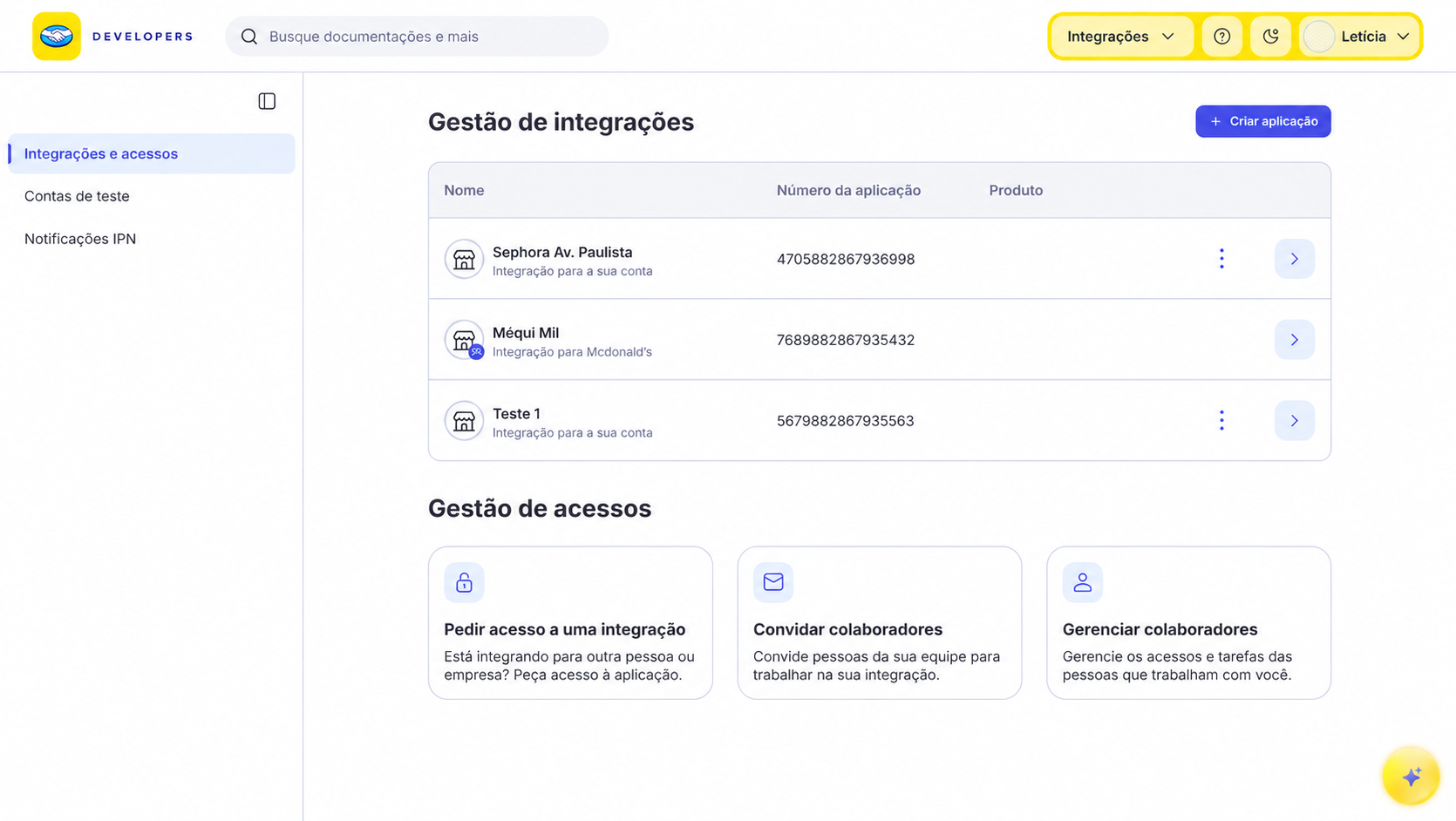
- Go to Integrations and select the application integrated with Checkout Transparente for which you want to enable notifications.
-
In the side menu, select Webhooks configuration.
-
In the Test / Production switch at the top of the screen, select Test and enter the
HTTPS URLto receive test notifications. If you want to configure production notifications, select Production and enter the productionHTTPS URL. -
Under recommended events, in addition to the Order (Mercado Pago) event configured previously to receive transaction statuses, select Chargebacks to receive notifications that track each stage of a chargeback. These notifications will be sent in
JSONformat via anHTTPS POSTto the URL configured for each environment.

- Finally, click Save. This will generate a unique secret signature for the application, which allows you to validate the authenticity of the received notifications and confirm that Mercado Pago sent them. For more details, see the Webhook notifications documentation.
Monitor notifications
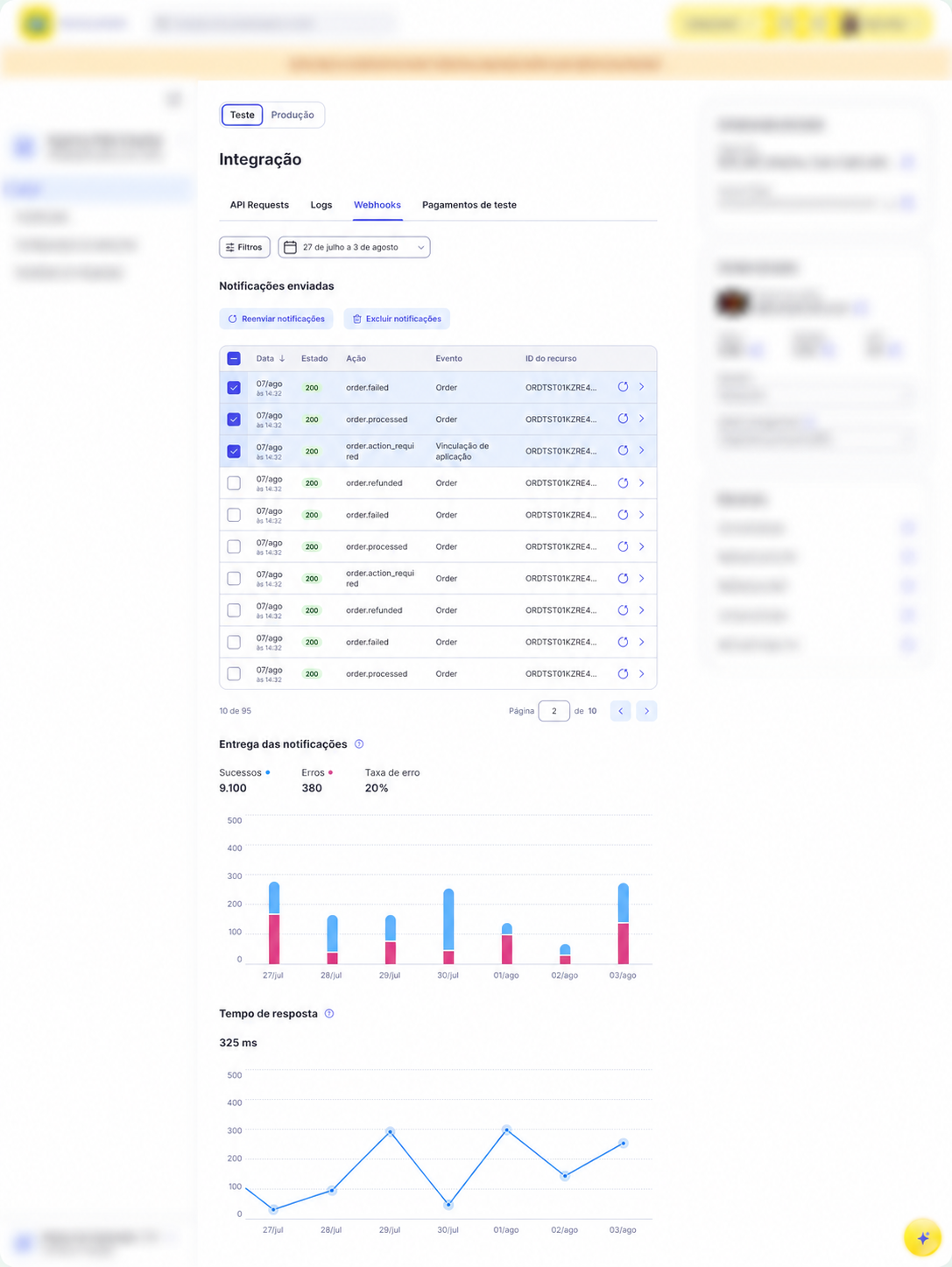
To review chargeback notifications, open the application and select the Webhooks tab under Home. Use the Test / Production switch to view notifications for the selected environment.
From there, you can filter notification deliveries, review their date, delivery status, action, event, and resource ID, check delivery and response-time metrics, open the details to view the notification body, and resend it when necessary. In Test, data updates in real time.
Notification example
The notifications sent by Mercado Pago for the chargebacks topic will be similar to the following example:
json{
  "action": "order.charged_back",
  "api_version": "v1",
  "application_id": "874202490252970",
  "data": {
    "external_reference": "ext_ref_1234",
    "id": "ORD01JRTXT3GC8CJGW394QWYQ9VP3",
    "status": "charged_back",
    "status_detail": "settled",
    "total_amount": "50.00",
    "total_paid_amount": "200.00",
    "transactions": {
      "payments": [
        {
          "id": "PAY01JRTXT3GC8CJGW394QZZ349N6",
          "amount": "50.00",
          "paid_amount": "47.28",
          "payment_method": {
            "id": "master",
            "installments": 1,
            "type": "credit_card"
          },
          "status": "charged_back",
          "status_detail": "settled",
          "reference": {
            "id": "ref-0"
          }
        }
      ],
      "chargebacks": [
        {
          "id": "CBK12JRTXT3GC8CJGW394QZZ349M7",
          "transaction_id": "PAY01JT4211RXR4678HH8304SDKW4",
          "case_id": "123456789",
          "status": "settled",
          "amount": "50.00",
          "references": [
             {
               "id": "01JSZZW4Q2JZJZC1R1W08KRVEP"
             }
           ]
        }
      ]
    },
    "type": "online",
    "version": 1
  },
  "date_created": "2025-04-14T19:53:23.114998555Z",
  "live_mode": false,
  "type": "order",
  "user_id": "2021490138"
}
These notifications provide complete information about the process initiated by the customer, being essential to manage the chargeback.