
Measure integration quality
Integration quality measurement is a certification process that ensures your implementation meets the security and quality requirements needed to offer the best experience with Mercado Pago for both the seller and the buyer.
Therefore, before going to production, we recommend that you complete this step. Below you will find the aspects used in this analysis and how to use the tool to maintain a continuous improvement process.
The measurement process analyzes a set of fields associated with fundamental aspects that a Mercado Pago integration must have. You can see these evaluated attributes below:
| Aspects | Description |
| Buyer experience | To grow and maintain your user base, you must offer a good payment experience. The measurement suggestions guide you to achieve the best results. |
| Financial reconciliation | Consistent financial verification of transactions with Mercado Pago maintains data integrity in your system. It is important to implement the measures and best practices indicated in the result. |
| Payment approval | For a good approval rate, validate the fields flagged as required improvements and implement the best practices. This provides more information to our fraud prevention tools for a more detailed assessment. |
| Scalability | Make sure to use the latest versions of our APIs and official libraries to get the best results. |
| Security | We aim to ensure the confidentiality of the data involved in the purchase. The improvements and best practices indicated in the result allow you to obtain and use the data securely. |
To perform the measurement, you need to declare your integration data. To do this, follow the instructions below:
-
Go to Integrations and select the application configured with Checkout Transparente via Orders API.
-
From the side menu, select Integration quality. If you have not yet provided the data required for the measurement, click Provide data.

- Under Edit data, complete the requested information about the industry, operation, payment methods, PCI DSS compliance, and additional features of your integration.
- Click Save changes.
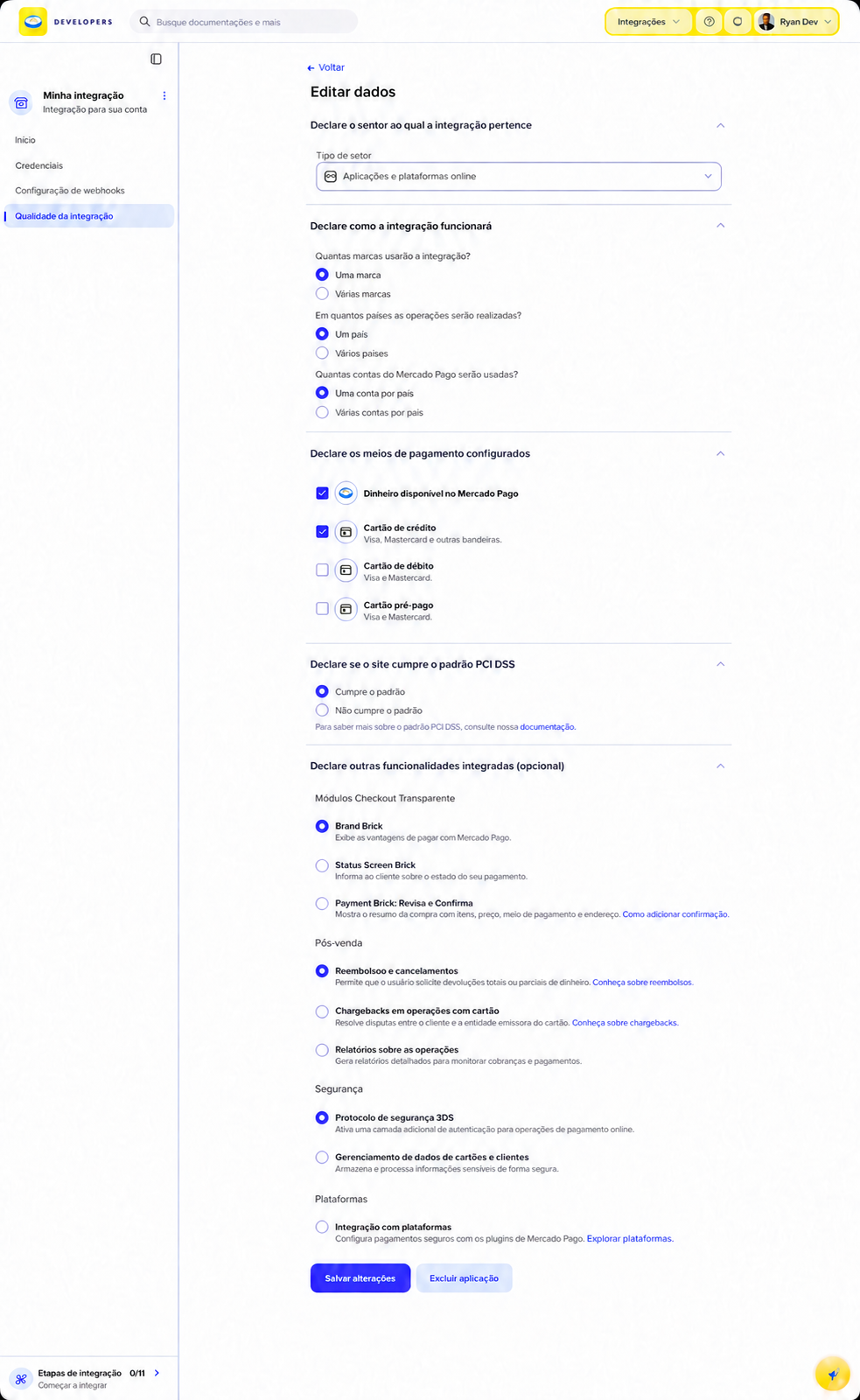
After saving your integration information, you can perform the quality measurement in two ways: manual or automatic.
If you prefer, you can perform a manual evaluation of your integration whenever you have an Order ID from a test payment. This is useful for new integrations that want to test their implementation before going to production and validate that it meets the required quality and security requirements.
To manually measure the quality of your integration in the test environment, follow these steps:
- From the application's side menu, select Integration quality.
- Click Start measurement. If the application already has a result, click Measure again.
- Enter the Order ID of the test payment. It must correspond to a payment made within the last 7 days with test credentialsAccess keys linked to your application that allow you to simulate payments and validate the integration without processing real transactions.Credentials. Then click Measure quality.
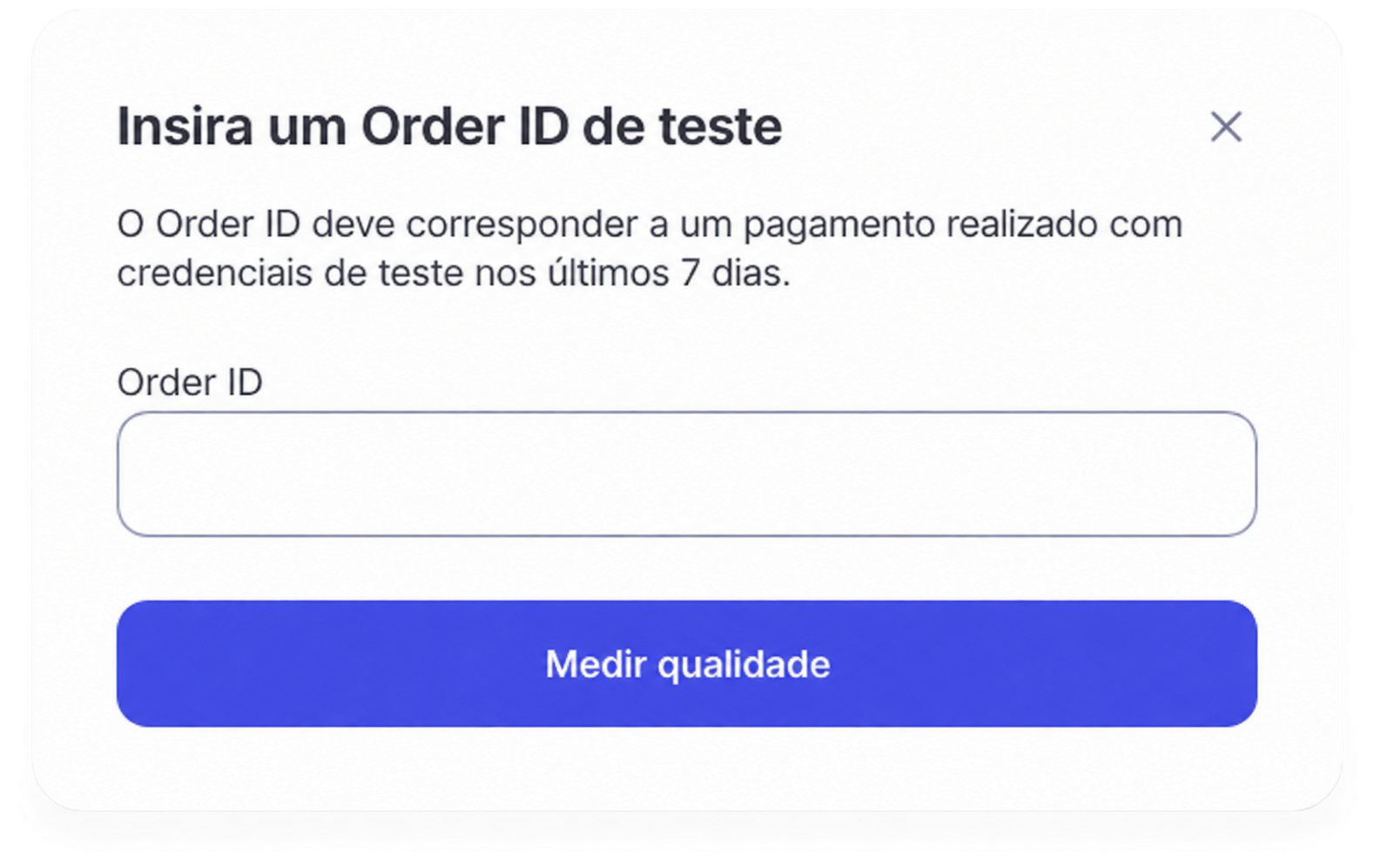
- Once the Order ID has been evaluated, you will see the quality measurement result. The result can be:
| Result | Explanation |
| Below ideal | Your integration requires necessary actions to meet the expected quality. |
| Close to ideal | Your integration meets the requirements but can still improve. |
| Ideal | Your integration meets all expected requirements. |
The result is displayed directly in Integration quality, together with the identified requirements, recommendations, and best practices. You can also access it from Home: in the View the quality measurement result stage, click Go to details.
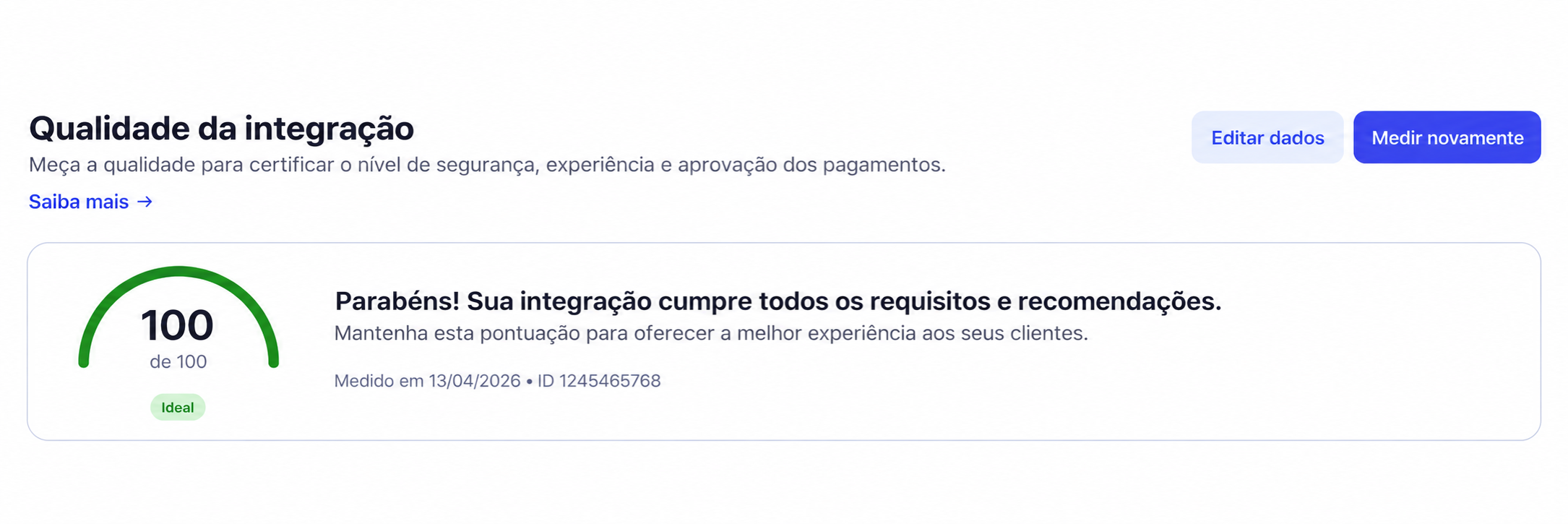
After completing the measurement, apply all mandatory actions indicated by the tool and measure the integration quality again to verify the adjustments.
Whether you have performed a manual quality measurement or received the results of an automatic measurement, you will find the following information:
- Score: indicates how secure your application configuration is and whether it is aligned with Mercado Pago integration best practices. For your integration to meet the quality criteria, resolve all mandatory actions indicated by the tool.
- Last measurement date and Order ID: indicates the day and time of the last measurement and the Order ID on which the application's quality score is based.
- Evaluated aspects: indicates the score obtained for each of the evaluated aspects. Select each one to see what improvement opportunities were identified in the process and how to address them. You can also filter by requirements, recommendations, and best practices. See the section Actions to improve the quality of your integration for more optimization options.
- Medir novamente : once you have applied the improvement opportunities, you can measure the quality of your integration again manually or, if you prefer, wait for the monthly automatic measurement performed by Mercado Pago.
As a result of the quality measurement of your integration, our tool will point out different items that will allow you to optimize its performance and improve the experience for both the seller and the buyer.
These actions can be:
- Mandatory actions: requirements you must meet to ensure integration quality and improve your score. For example, enabling Webhooks notifications or sending an external reference that allows correlating payments between Mercado Pago and your system.
- Recommended actions: tasks that improve the score but do not prevent you from certifying the integration. For example, sending all buyer information to improve payment validation and security and reduce rejections by the fraud prevention engine.
- Best practices: recommendations that do not affect the score but improve aspects of your integration. For example, adding the MercadoPago.js V2 SDKs to your project or keeping your system up to date according to the events received via notifications.
Actions and best practices depend on each integration. Although information is provided here for Checkout Transparente via Orders API, you should be guided by the information returned by the tool in the quality measurement result to optimize the operation of your integration and your score.