
Create test accounts
To integrate the Split Payments 1:N, you will need at least two Seller test accounts: one for your main application and another to act as the second participant that receives a share of the split.
When you create an application, a test account of type Seller is automatically created, so you will need to create a second test account to continue with the integration.
Test accounts are users who have the same functionalities as a real Mercado Pago user, but allow you to test the operation of your development without compromising real data.
Follow the steps below to create a seller test user.
- In Mercado Pago Developers, navigate to Your Integrations in the upper right corner of the screen, and click on the card corresponding to the application you are using for development.
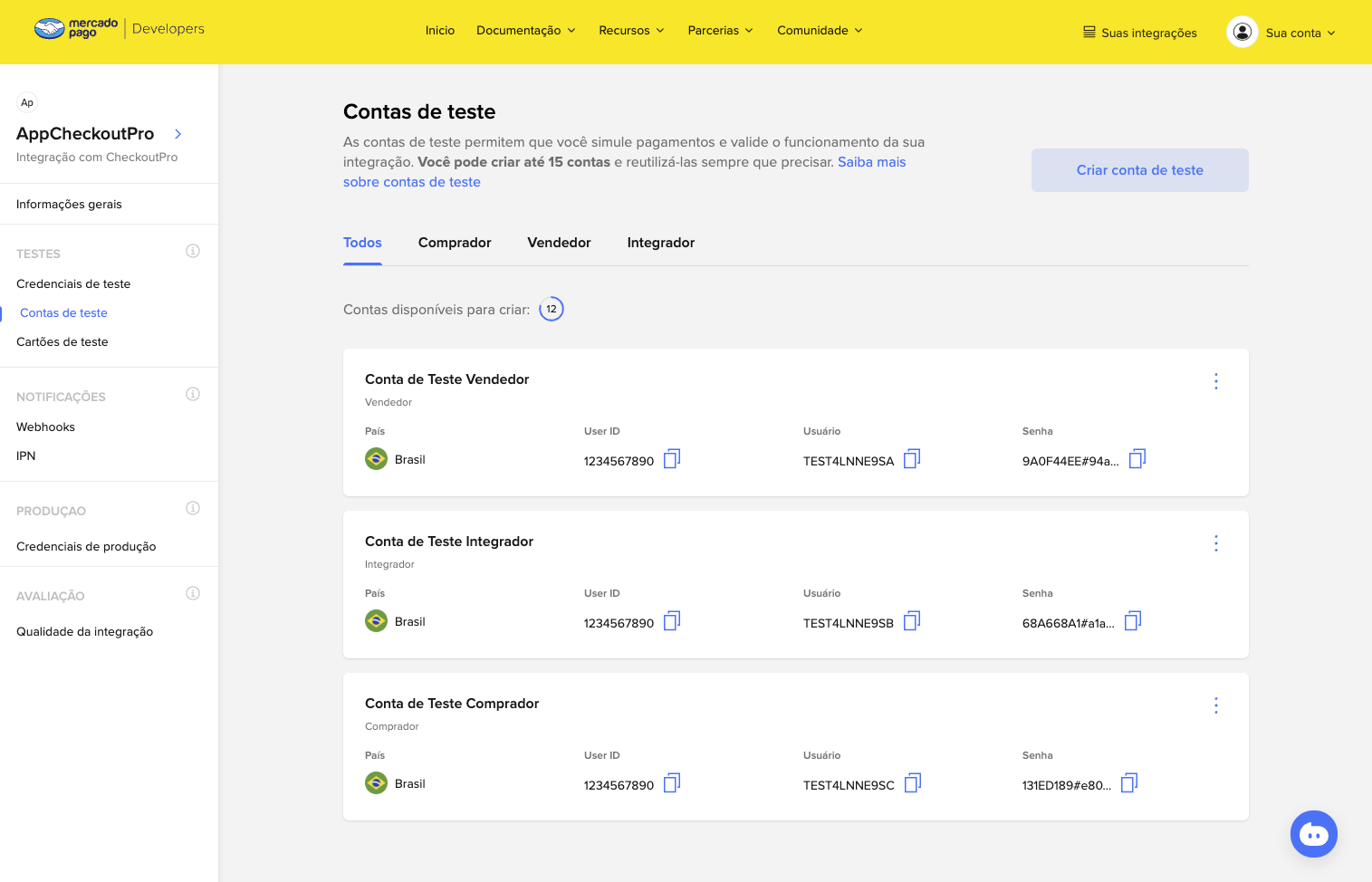
- Having accessed "Application Details", go to Tests > Test Accounts in the left sidebar menu, and click the Create test account button.
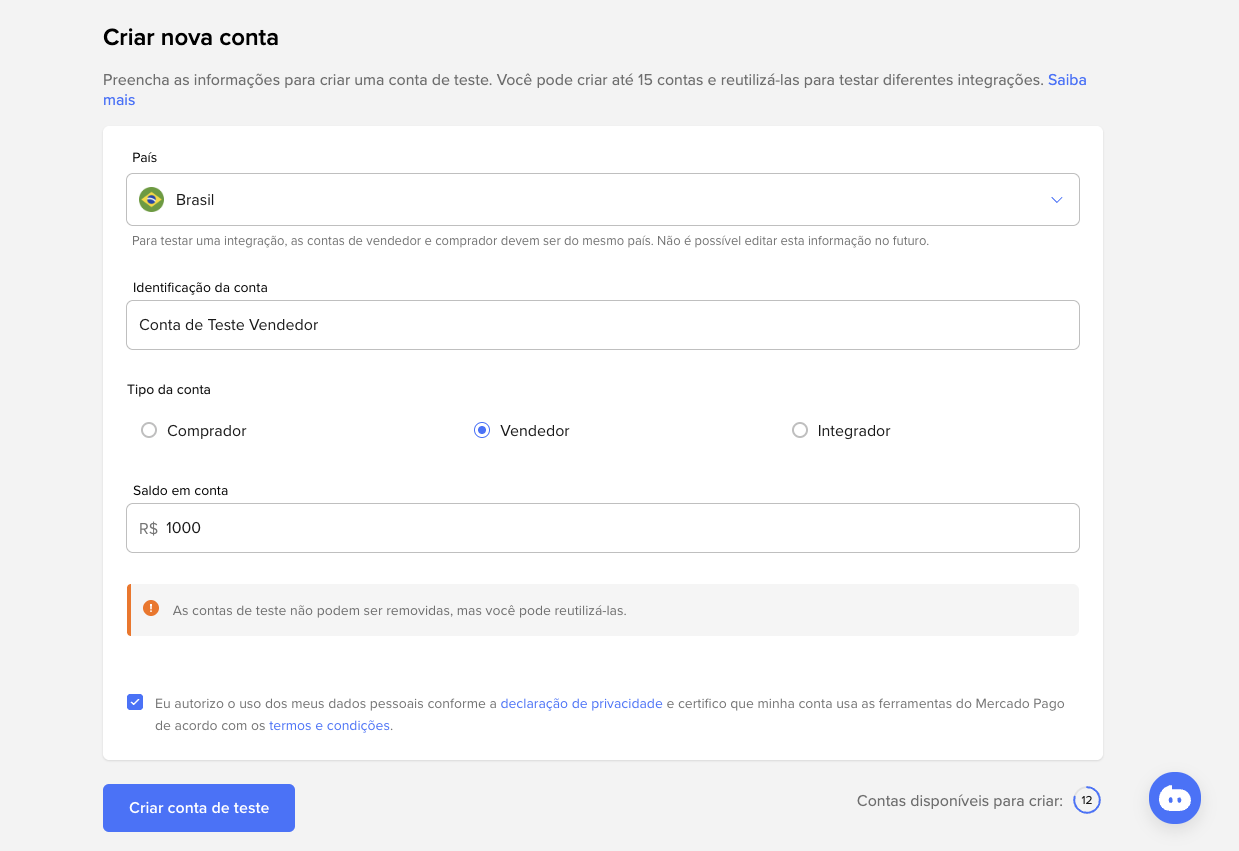
- On the "Create new account" screen, select the country of operation of the account, bearing in mind that this information cannot be edited later.
- Next, enter a description to identify the account.
- Select the Account Type as Seller.
- Because it is a seller user, it is not necessary to indicate any value for the available money.
- Accept the Privacy Statement and the Terms and Conditions, and click Create test account.
- Repeat this process one more time until you have two Seller test accounts.
Get the User ID of a seller test account
To implement the Split Payments 1:N integration, you will need to use the User ID values of the Seller test accounts you created. To find this value, follow these steps.
- In the application you created in Create application, go to Test > Test accounts.
- In the list, you will find the User ID of the Seller test account.

With your test accounts created and User IDs in hand, you are ready to create an order with Split Payments 1:N.